AI for Customer Service: Use-cases, benefits and how to start
This article is an overview of AI customer service options in 2025, from fully automated chatbots to internal tools that help your team work faster. Covers 14 use cases with specific tools and a framework for deciding where to start.
Jan 9, 2026

AI for Customer Service: Use Cases, Benefits and How to Start
By Lena Shakurova, Founder & CEO at ParsLabs
AI tools for customer service have expanded significantly in recent years. The landscape in 2026 now includes chatbots, voice agents, email automation, internal knowledge assistants, and various hybrid approaches that combine automation with human oversight.
This variety creates a challenge: understanding what each option actually does, where it fits, and what tradeoffs come with it.
This article provides an overview of the current AI Customer Service landscape. I'll break down the main categories of AI solutions, explain how they work in practice, and outline the factors that influence which approach makes sense for different situations. The perspective here comes from 8 years of working with teams implementing these systems, so I'll include examples from real production environments where relevant.
We'll also talk about what are the best AI tools for improving customer service.
By the end, you should have a clearer mental map of the options available and a framework for thinking about where to begin.
What is AI Customer Service?
In this blog, by AI Customer Service we mean any solution that uses technologies like machine learning and natural language processing to help customer support teams work faster and give customers better experiences.
What are the benefits of using AI in Customer Service?
AI customer service benefits both your support team and your customers.
For customers:
Get instant answers 24/7, even outside business hours
No waiting in queue for simple questions
Faster resolution for common issues
Consistent quality of answers
For support teams:
Lower ticket volume for repetitive questions
More time to focus on complex cases that need human touch
Less burnout from answering the same questions over and over
Better context when handling customer issues
Faster onboarding as new support team members can use AI assistance to find answers quickly while they're still learning your product and policies
The 3 layers of AI Customer Service
I think about AI customer service in three layers. Each layer has different risk levels, different implementation complexity, and different outcomes.
Layer 1: Fully automated AI Customer Service
This is the dream scenario. A chatbot or voice agent talks to users, connects to your knowledge base and APIs, performs actions like canceling subscriptions, updating billing addresses, sending invoices, raising tickets, making payments. No human in the loop, or minimum human involvement.
Voice agents can do the same, plus send emails and SMS notifications to users.
Reality check: Most companies are not there yet. And that's okay.
When to use this layer:
You have low-risk, high-volume inquiries
Your knowledge base is clean and comprehensive
You can afford to invest in advanced RAG setups and continuous monitoring
You're comfortable with some edge cases going wrong
Layer 2: Human-in-the-loop AI Customer Service
This is more realistic and what most companies are doing (and should be doing).
You have a chatbot or voice agent, but they only handle low-risk use cases defined in advance. For anything complex or high-risk, you transfer to a human - either over phone call, by automatically creating a ticket for customer support, or by connecting to a live agent in live chat.
Email automation also falls into this category. Emails get categorised and either answered automatically or a ticket for the respective customer support team is created, with a pre-drafted response they need to proofread.
Example: For one of our clients (property management company), we built an AI agent that handles property inquiries, schedules viewings, and answers questions about available properties. The AI agent can answer basic questions about property features, availability, and pricing. But when someone has a special request, or wants to negotiate, the AI agent connects the person to a human agent with all the context from the conversation. The human agent already knows what the customer asked and can pick up where the bot left off.
When to use this layer:
You're just starting with AI customer service
You have high-risk customer interactions (financial, legal, health-related)
Your team needs time to build trust in AI systems
You want to balance automation with quality control
Layer 3: Internal AI Customer Service tools
This AI is not customer-facing. It helps your customer support team do their job better.
Here's how it works:
For voice calls: The conversation gets transcribed in real time. AI searches your knowledge base as the customer speaks and shows insights or answers to your customer support agent. It can also pre-create actions like adding tasks to your ticket system, setting reminders to send follow-up emails. After the call, it generates summaries with action points.
For text/chat: Same idea. AI shows knowledge base URLs and insights to help agents answer better. It automatically labels tickets with the correct category and transfers them to the respective team. Or it autogenerates the email that the agent just needs to proofread and send.
Example: For one of our customers, we helped to built internal tools to help customer support agents find answers faster. When an agent gets a question about a specific property, the system automatically pulls up relevant documentation, previous similar inquiries, and suggested responses. This cuts response time significantly.
When to use this layer:
You want to improve customer support quality without removing human touch
Your team is nervous about fully automated AI
You have a knowledge base but agents struggle to find information quickly
You want to train new customer support agents faster
Comparison: When to use each AI Customer Service layer
Factor | Fully automated | Human-in-the-loop | Internal support |
|---|---|---|---|
Risk tolerance | High | Medium | Low |
Ticket volume | High volume, repetitive | Mixed complexity | Any volume |
Implementation time | 2-3 months | 1-3 months | 1-2 months |
Maintenance | High | Medium | Low |
Customer-facing | Yes | Yes | No |
My recommendation: Start with Layer 3 or Layer 2. Don't jump straight to fully automated unless you have very simple, low-risk use cases and a clean knowledge base.
Real AI Customer Service solutions
In this section, we'll give an overview of 14 different categories if AI solutions for Customer Service teams, across all the three layers. The goal of this section is to show you examples of what's possible in 2026, so you can choose what fits your current CS team structure.
For simplicity, we group all the solution categories into two categories: 1. customer facing AI solutions and 2. internal AI tools for support teams.
Customer-facing AI Solutions
1. AI agents (website, WhatsApp, mobile)
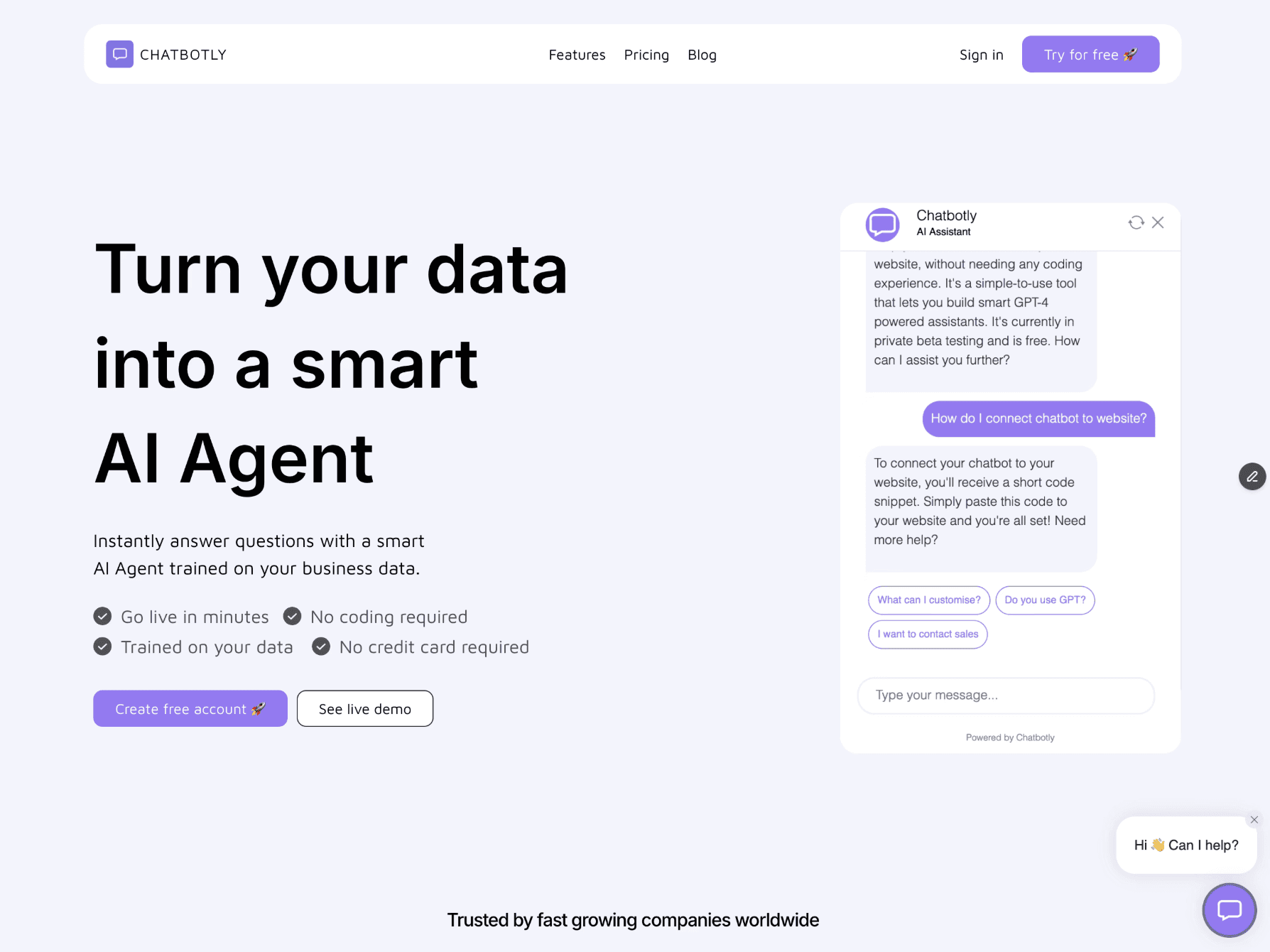
Once category of tools are text-based AI Agents. They can live on your website, WhatsApp, Slack, mobile app e.t.c.
You can use AI agents to answer questions, guide users through processes, collect information, create tickets, and connect to live agents only when needed.
Among our ParsLabs customers, on average Customer Support AI agents resolve up to 75% of frequently asked questions. Only 25% of users need human help because the knowledge base covers most common questions.
By resolving basic requests with AI, you speed up ticket resolution time and reduce workload for your team. Their time is freed up to handle emotionally complex or sensitive problems.
This is probably one of the simplest category to get started. There are a lot of no-code platforms available that allow you to plug in your data and easily create AI agent that can answer questions based on your knowledge base.
❓ When to use: When most of your customer support happens via text channels (website chat, WhatsApp, mobile app).
🛠️ Tools:
Chatbotly: Simple to set up, great for getting started. You can upload your knowledge base and have a working Customer Support AI agent in a day.
VoiceFlow: For more complex use cases. Great flow builder, lots of integrations, more control over conversation design.
Tip: Don't start with chat if most people call you. Match your automation to your most common channels.
2. Voice agents
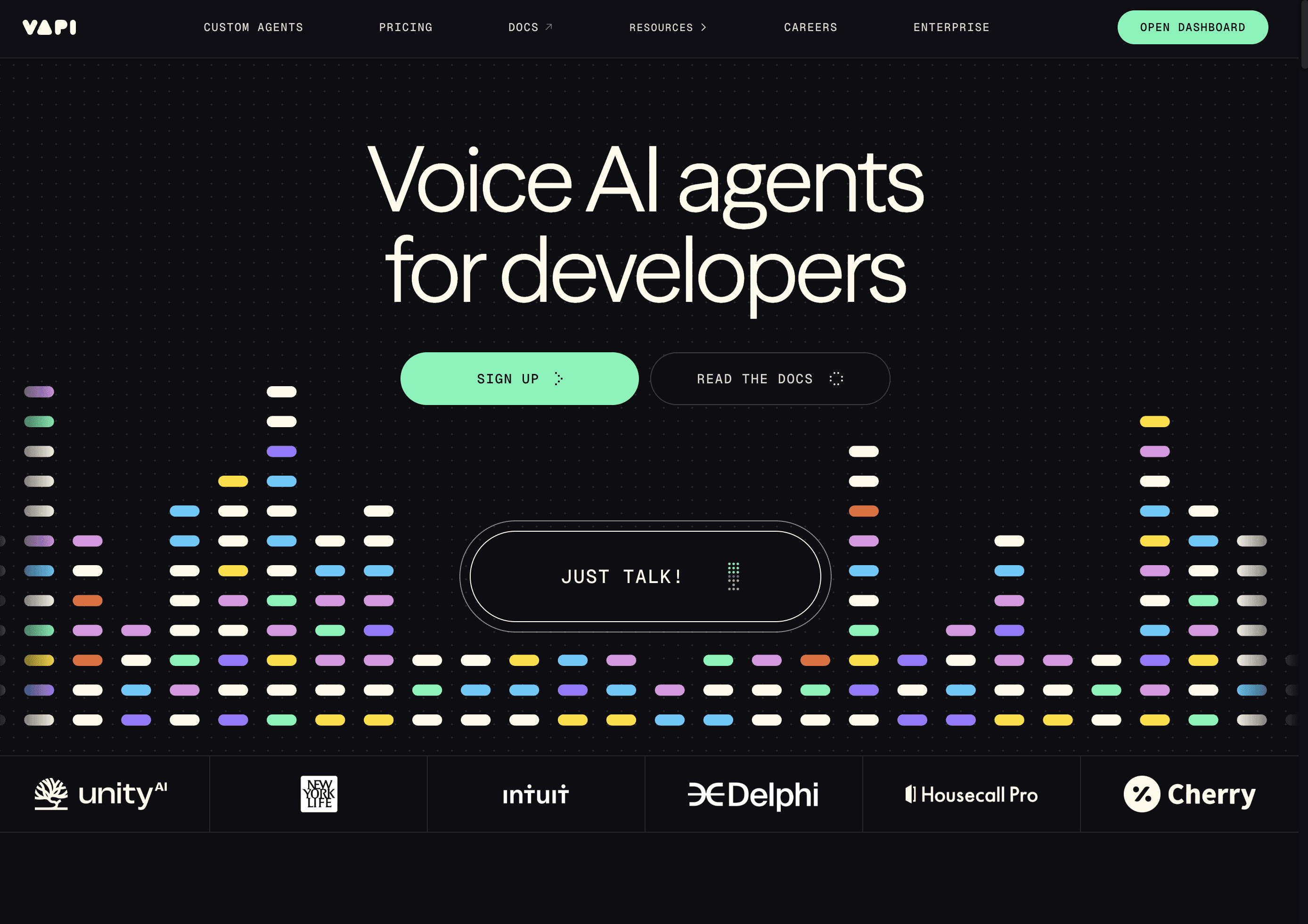
Another category are AI voice agents.
You can use them to answer phone calls, have conversations with customers, perform actions, and transfer to humans when needed.
❓ When to use: When phone is your primary support channel, or when you get a lot of calls outside business hours.
🛠️ Tools:
Vapi: Best balance of quality and ease of use. Good voice quality, low latency, easy to integrate with your knowledge base and APIs.
RetellAI: Developer-friendly flow builder with strong customisation options.
LiteKit: Open-source framework for real-time voice and video AI agents.
Reality check: Creating a great voice agent is harder than a text-based AI Assistant. Users expect more natural conversations, interruptions need to be handled well, and latency matters more. Start with chat if you're new to AI customer service, or hire someone who specialises in voice agents to help you avoid common mistakes.
3. Voice widget on your website
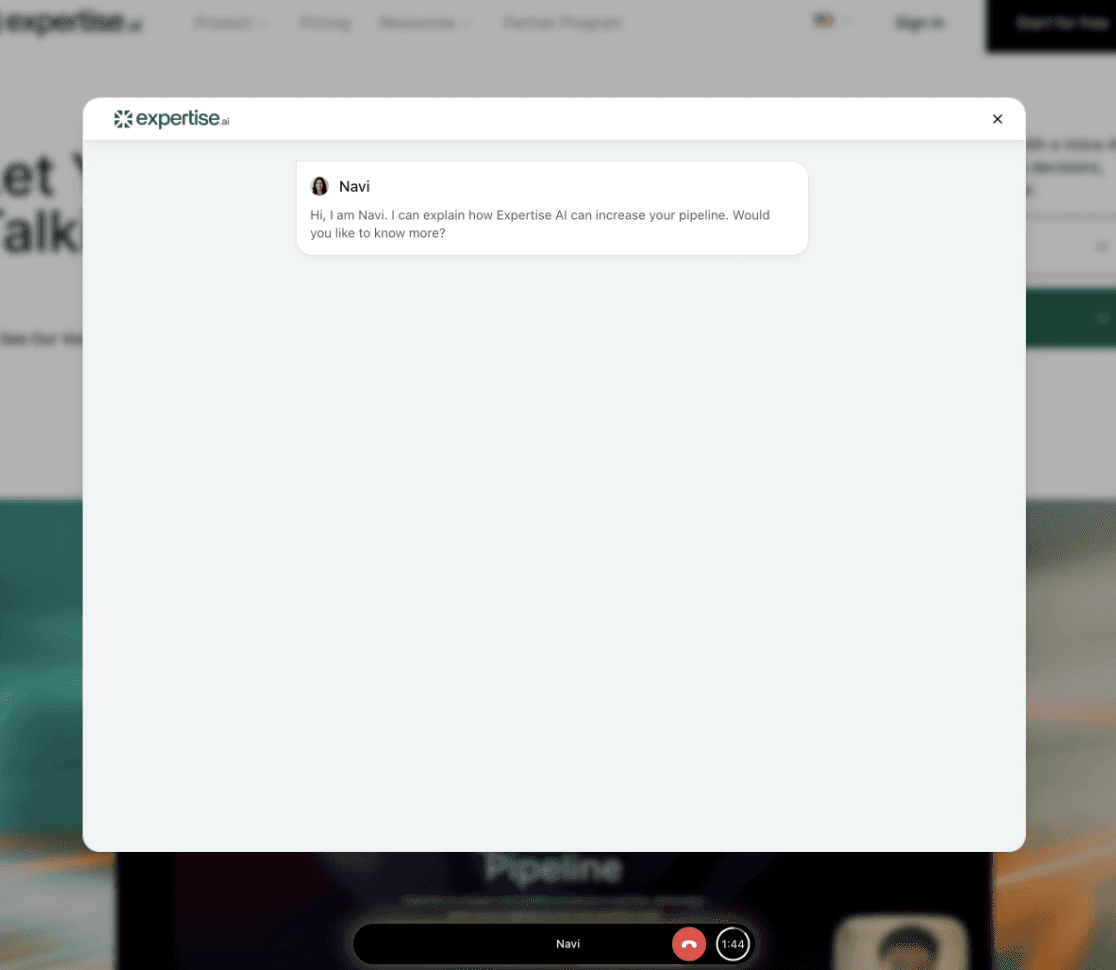
Another category that's gaining popularity over the last couple of years is voice agents that live on your website.
Some customers prefer speaking over typing, especially for complex issues. At the same time, reading is easier than listening, you can always see what you talked about before and go back to that information later.
Website voice agents give you the best of both worlds. It looks similar to a website chatbot, with one key difference: instead of typing, your customers simply speak to your voice agent through the web, while the entire conversation is transcribed on screen for convenience.
The good thing about voice is that people tend to share more information about their issue when speaking, which increases the accuracy of AI responses. Better input = better output.
❓ When to use: When you already have a chatbot and want to experiment with voice as an alternative. Test chatbot vs. voice agent on your website and see what gives better results.
🛠️ Tools:
Expertise.AI: Adds voice calling capability to your website.
4. AI-powered documentation search
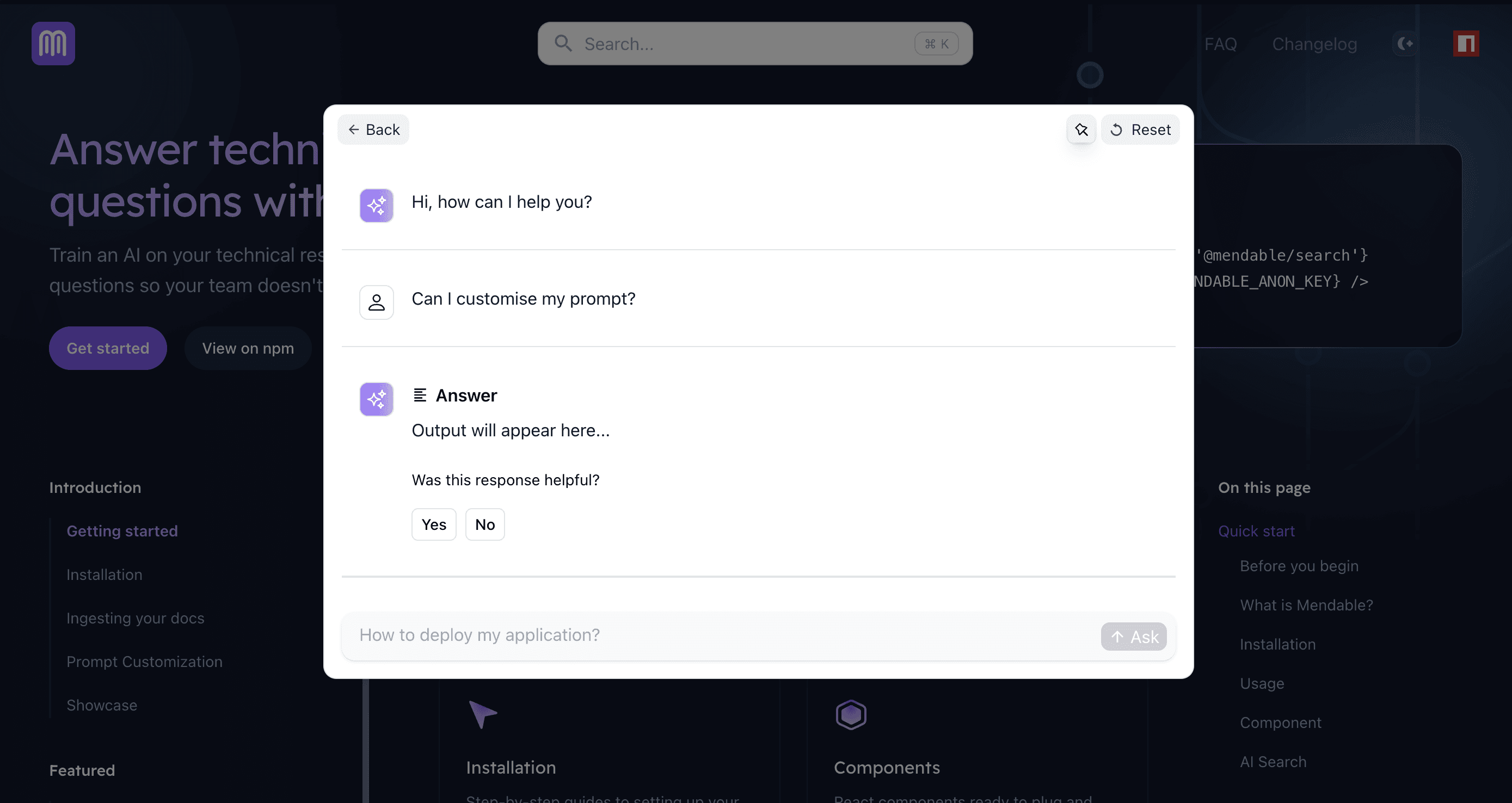
You know that search bar on your help center? You can now replace it with AI-powered documentation search.
An AI chatbot running on top of your documentation is a great alternative to old-school semantic search. People are already used to clicking on search when they're looking for answers, but this one is more powerful.
Instead of customers scrolling through long help articles trying to find the right section, AI finds the exact answer they need and summarises it for them, sharing relevant links for deeper exploration.
❓ When to use: If customers are already searching your docs but still submitting tickets for answers that exist, this is your sign to update your traditional search with AI-powered search.
🛠️ Tools:
Mendable: Specifically built for customer-facing AI-powered documentation search.
LangChain Ask AI: LangChain has a great library your developers can use for building AI-powered search for your website. They also have an example running on their own documentation on how this can look like.
LangFuse Ask AI: While it's not a tool for building AI-powered search, but a great example of how that can look like for your company.
5. Email automation
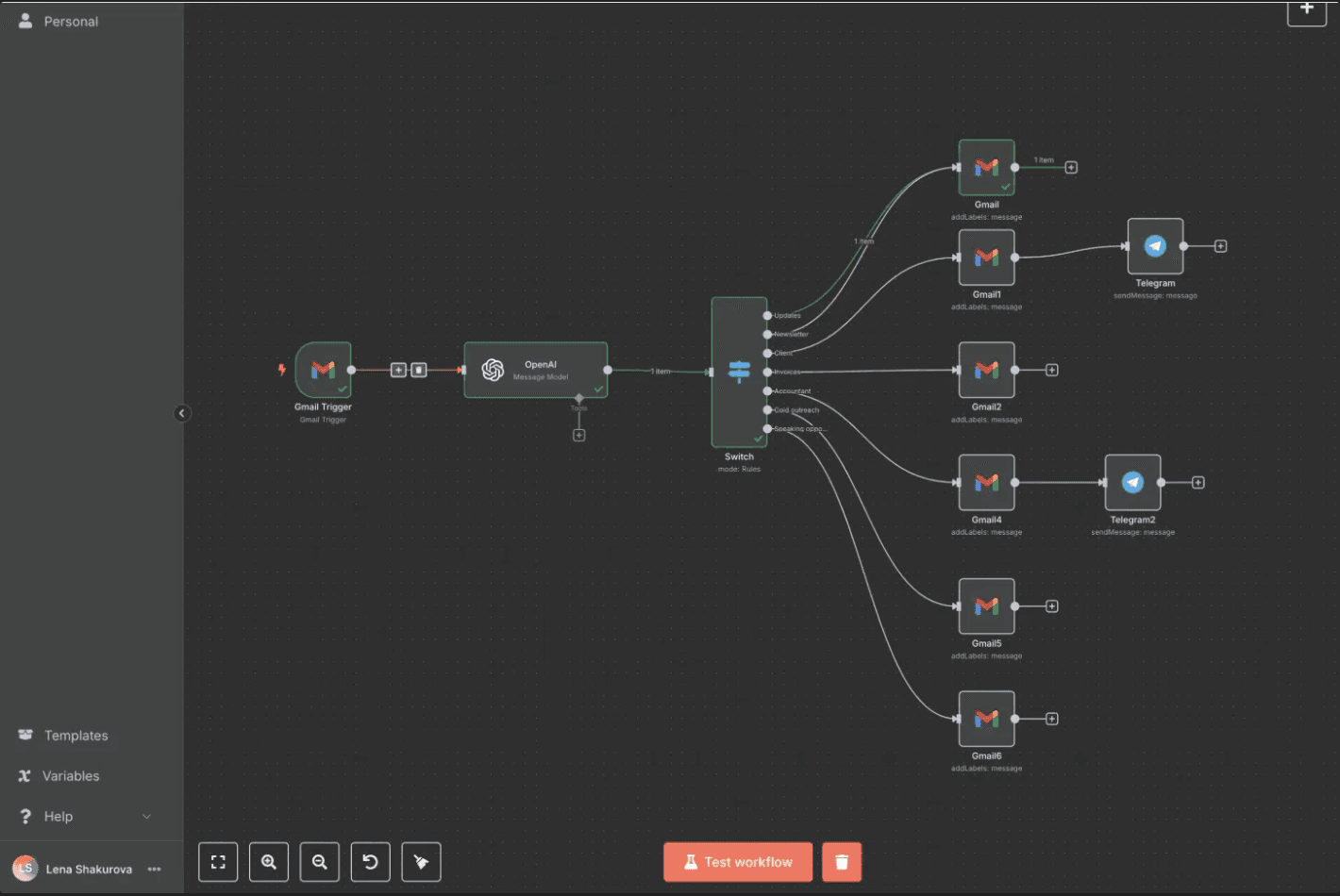
Use AI to categorise incoming emails, draft responses, create tickets, and route to the right team.
When to use: When you get a lot of email support requests and your team spends hours sorting and drafting responses.
🛠️ Tools:
n8n: Flexible AI automation platform. You can build custom workflows to categorise emails, draft responses using GPT, create tickets in your system, send follow-ups. This requires some technical skills to set up. Reach out to our team at ParsLabs if you need help with your email automations.
6. Collect upfront information for complete context
AI interviews the user via email, phone call, or chat. It collects information and sends a summary to your customer support agent.
This way, agents don't spend time on back-and-forth asking repetitive questions.
Example: A customer contacts support about a billing issue. Before connecting to a human agent, the AI asks:
Which invoice are you asking about?
What's the issue exactly?
Have you tried accessing your billing portal?
By the time a human agent picks up, they have all the context and can solve the problem immediately.
Here you can use same tools you use for building voice agents, only the strategy differs. In category 2 voice agents answer questions on the caller, in this use-case the sole role of the AI agent is to interview the user and forward the summary to human agents, without answering any questions.
7. Route customers to the correct support team
Often what happens is customers message the wrong team and waste time getting redirected. Same happens during calls, you wait on the line just to find out you were calling the wrong department and now you need to stay in the line again.
Simple AI automation can save annoyance to customers and save your team time too.
Example: Customer writes "I want to cancel my subscription." AI detects this is a billing issue and routes to the billing team, not technical support. No transfer needed.
This can be implemented both in a shape of a chatbot and voice agent.
Internal AI tools for support teams
8. AI-powered knowledge base for internal teams
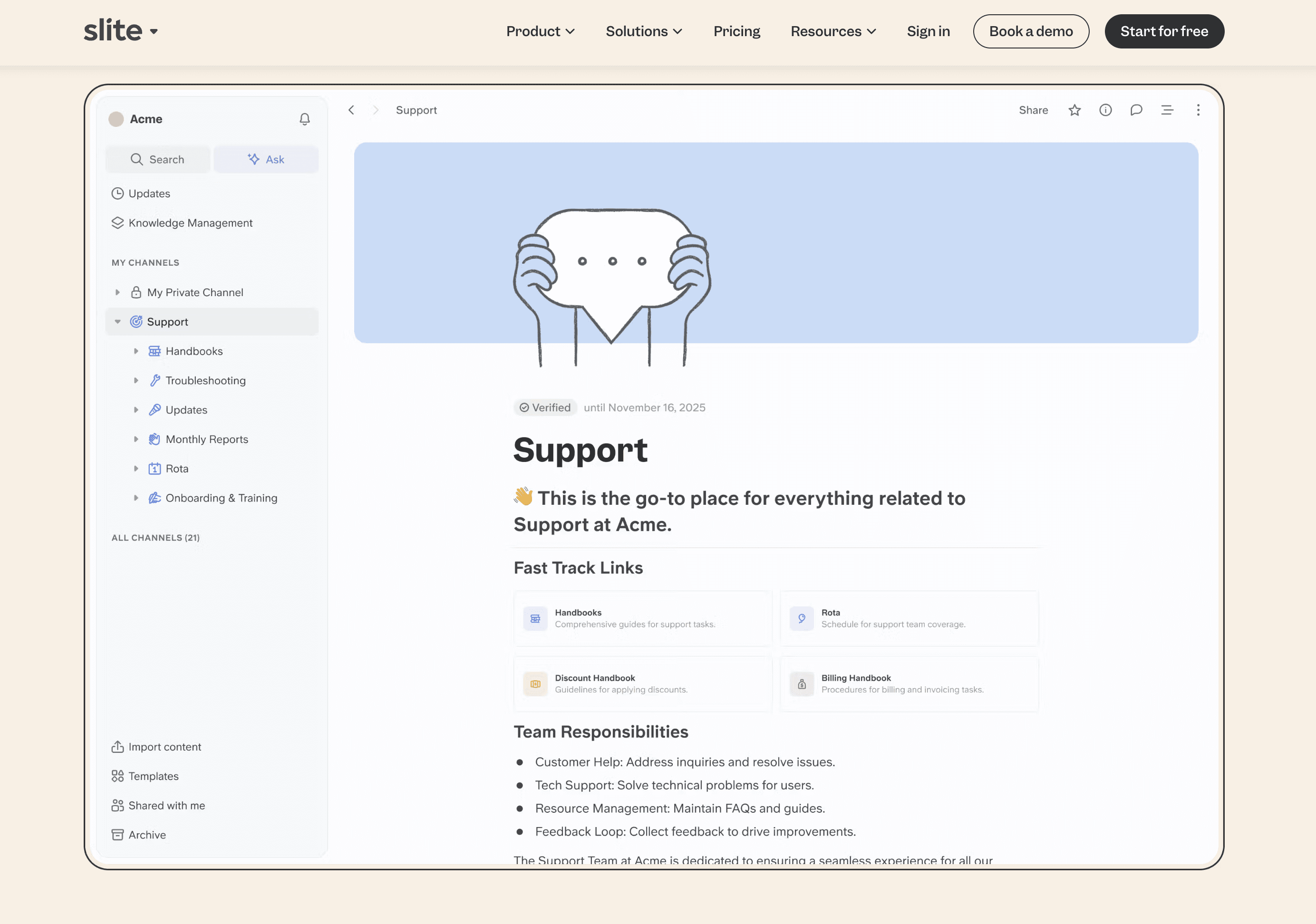
Make it easy for your support team to find relevant information quickly in your internal knowledge base.
When an agent gets a customer question, they can search your documentation using AI-powered search instead of manually digging through folders.
❓ When to use: Large support teams with high turnover and extensive knowledge bases. New agents especially benefit—they can find answers quickly without memorising where everything lives.
🛠️ Tools:
Slite: AI-powered search, easy to maintain, good for teams managing internal knowledge.
9. Real time call transcripts
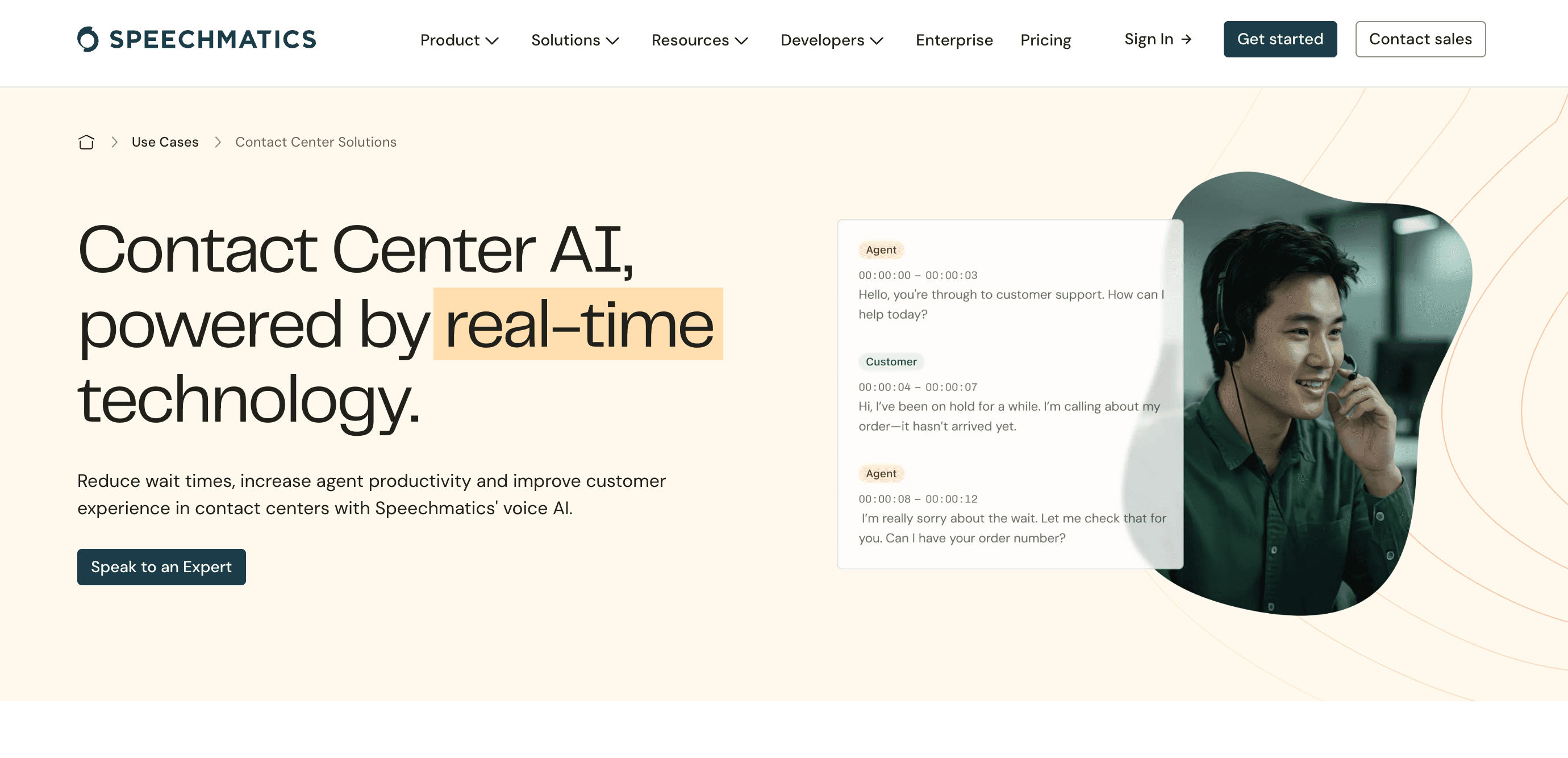
Live transcription displays the conversation as it happens, so agents can see exactly what's been said while still on the call.
❓ When to use: When agents need to reference specific details mid-conversation, or when multiple team members are monitoring calls and need to follow along.
🛠️ Tools:
Speechmatics: Real-time call transcription
10. Intelligent AI notetaker
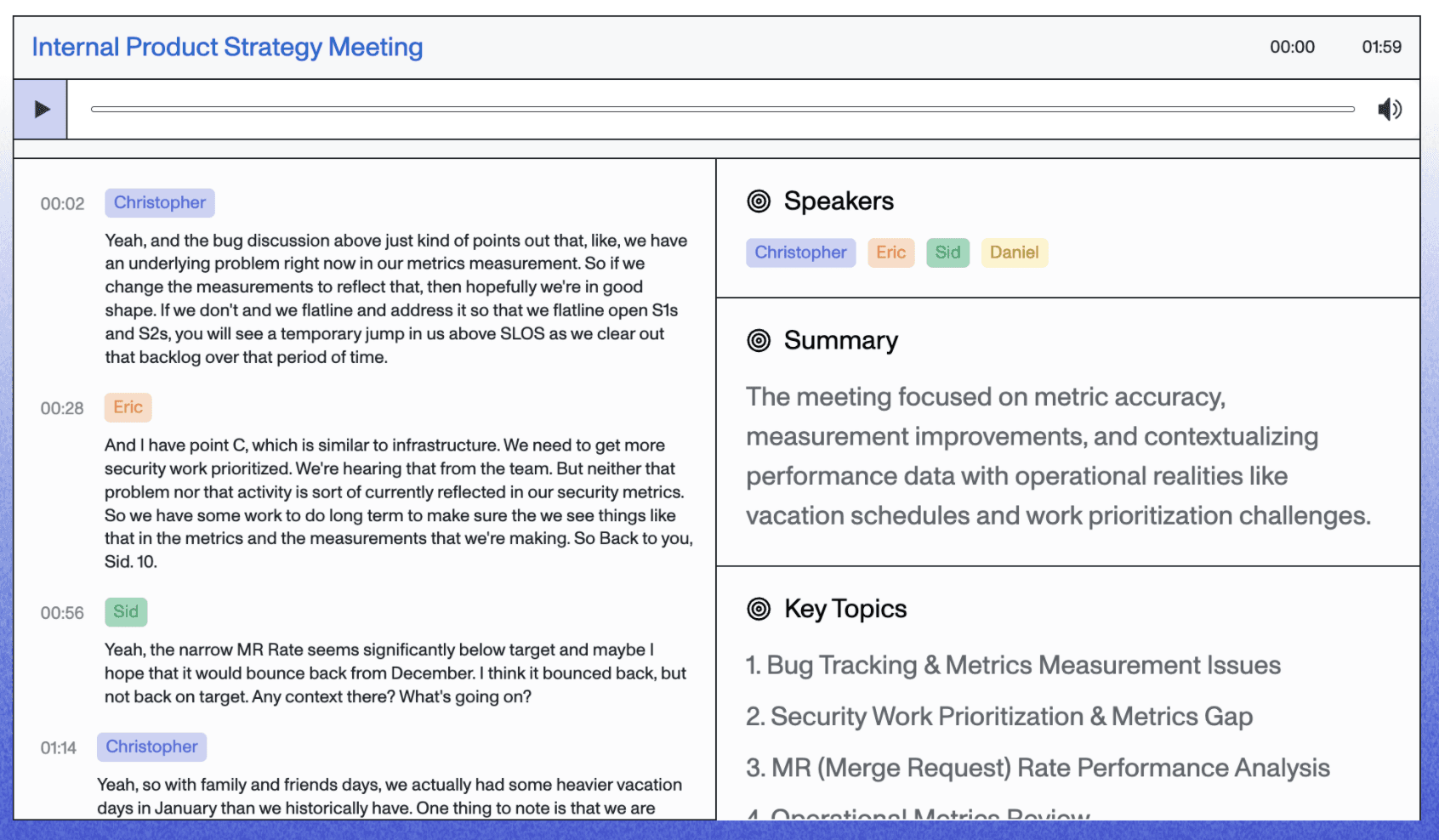
For internal teams, AI summarises conversations across emails, WhatsApp, SMS, chatbot, and phone calls.
This gives context for your customer support members so they don't have to read everything.
The problem this solves: Often in customer support, different people handle the same customer. They need to pass context to one another so the customer doesn't repeat themselves.
Have you been in a situation where you get transferred on a phone call to a different team and you have to repeat yourself all over again? Frustrating, right?
Passing context between support reps takes time. They have to summarise everything that's been said so the next teammate can jump in seamlessly.
AI does this automatically.
🛠️ Tools:
AssemblyAI: Their AI notetaker adds a layer of intelligence on top of your call transcripts, generating summaries, extracting key conversation topics and more.
11. Reply suggestions
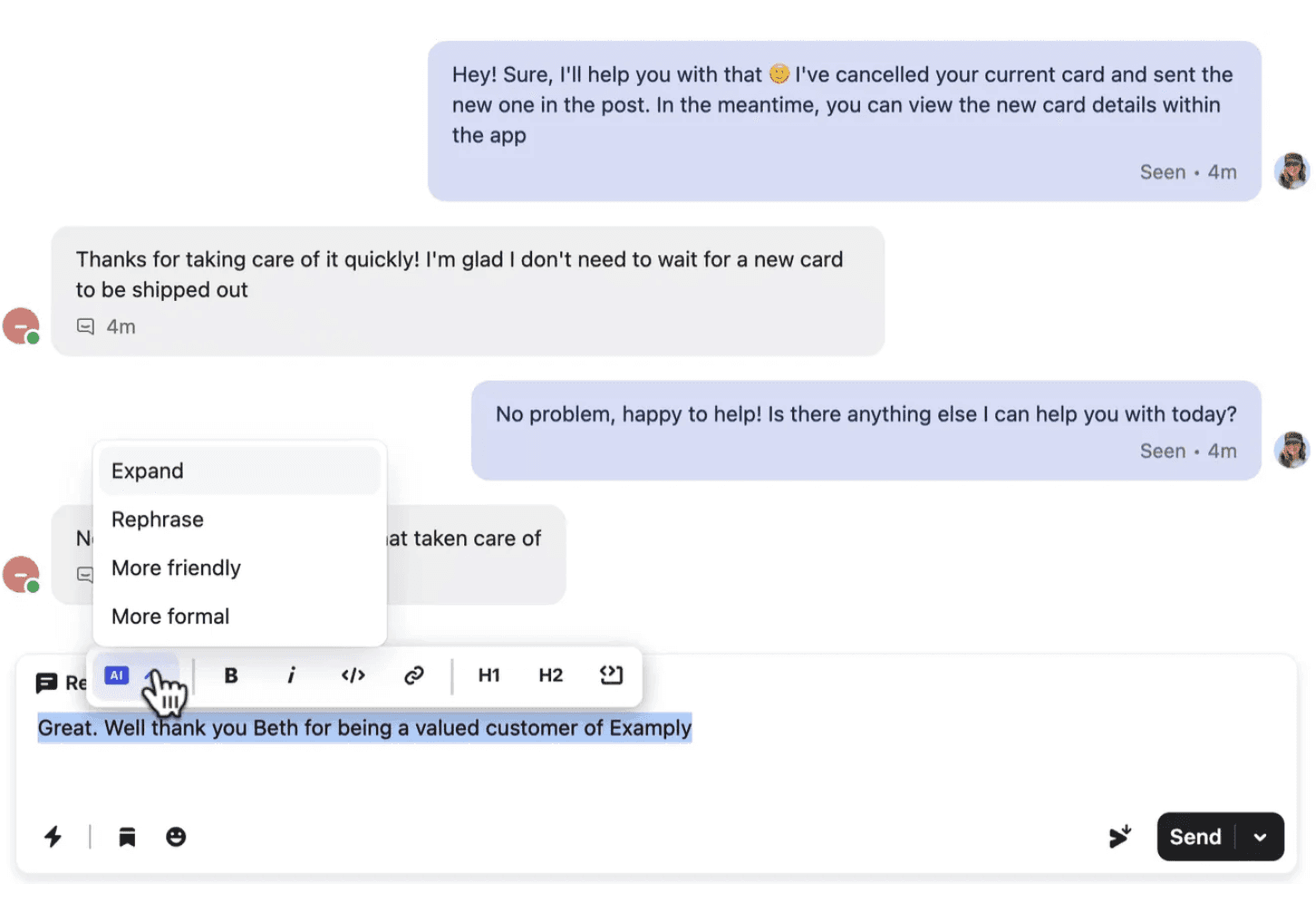
Your customer support agent writes a draft and AI improves it.
AI tools can boost support replies by:
Expanding short bullet points into full responses
Rephrasing messages to find the right words
Adjusting tone (friendlier, more formal, more empathetic)
Example: Agent writes: "Can't do that. Policy says no refunds after 30 days."
AI rephrases to: "I understand this is frustrating. Our refund policy covers purchases within 30 days. Since your purchase was 45 days ago, I'm unable to process a refund. However, I'd be happy to offer you store credit instead. Would that work for you?"
🛠️ Tools:
AI assistant by Zendesk
12. Automated call scoring
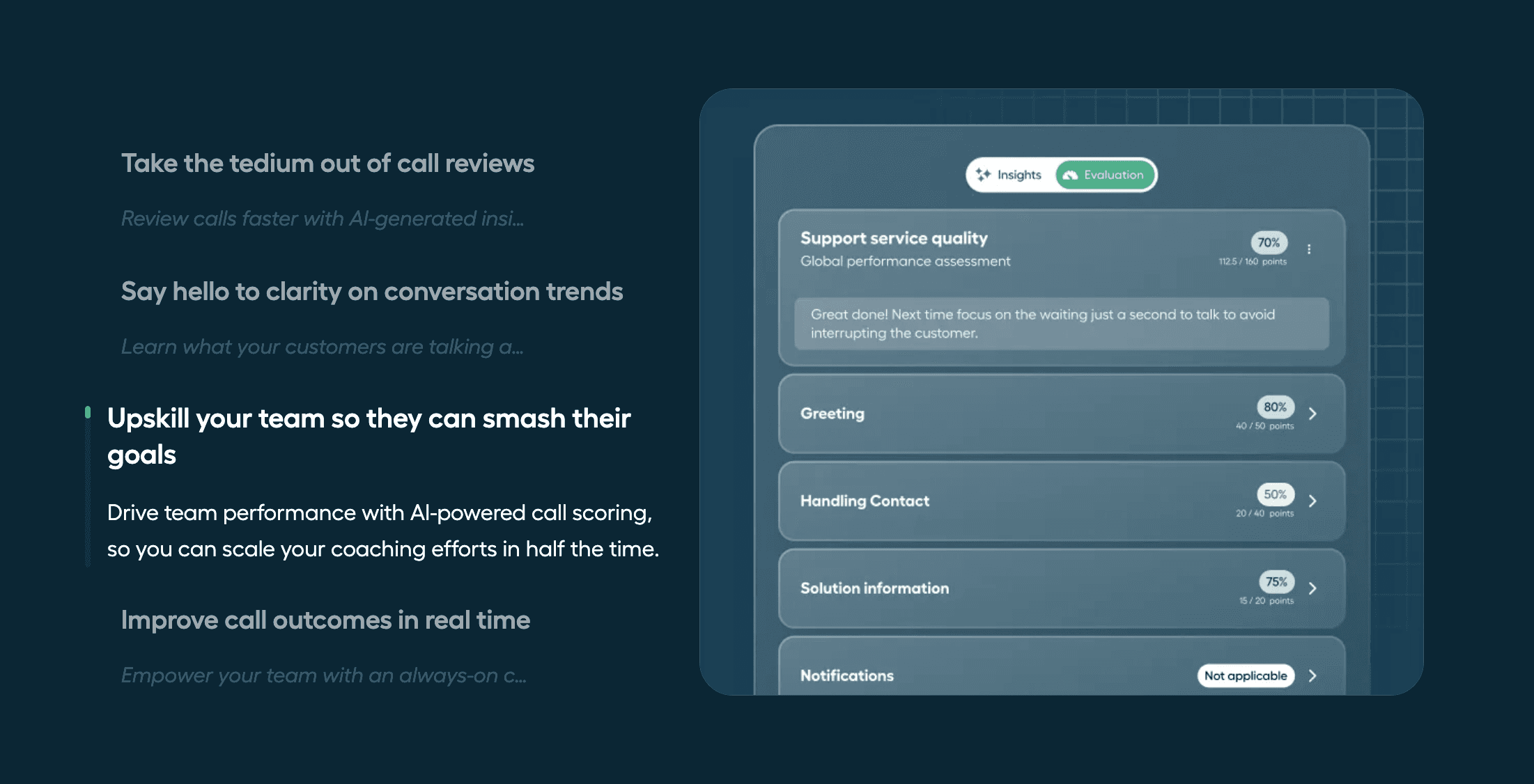
After calls with customer support agents, AI automatically rates the calls using your KPIs.
This helps you improve quality without manually reviewing every call.
❓ When to use: When you want to improve quality but don't have time to manually review every call.
🛠️ Tools:
Call scoring from Aircall
13. Agent Assist (aka AI Copilot)
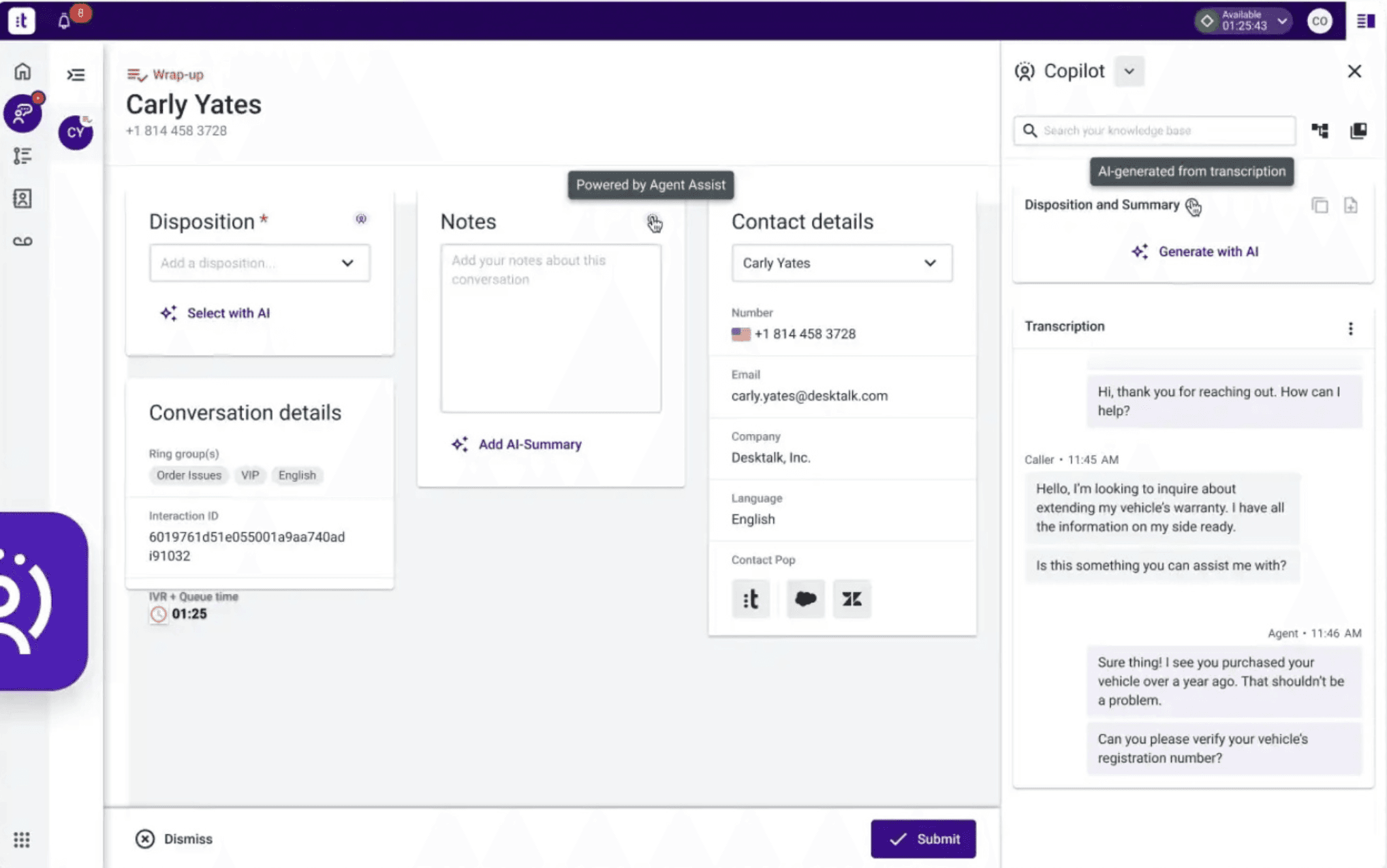
AI works in the background while agents handle conversations. It suggests responses, surfaces relevant knowledge base articles, and auto-fills information, so agents can respond faster without switching between tools.
❓ When to use: When agents spend too much time searching for information or drafting responses. Particularly useful for teams handling complex products or policies where agents need quick access to accurate details.
🛠️ Tools:
Union: AI copilot that shows suggested replies to human agents during live conversations
Talkdesk: Provides real-time suggestions
14. Real time call coaching
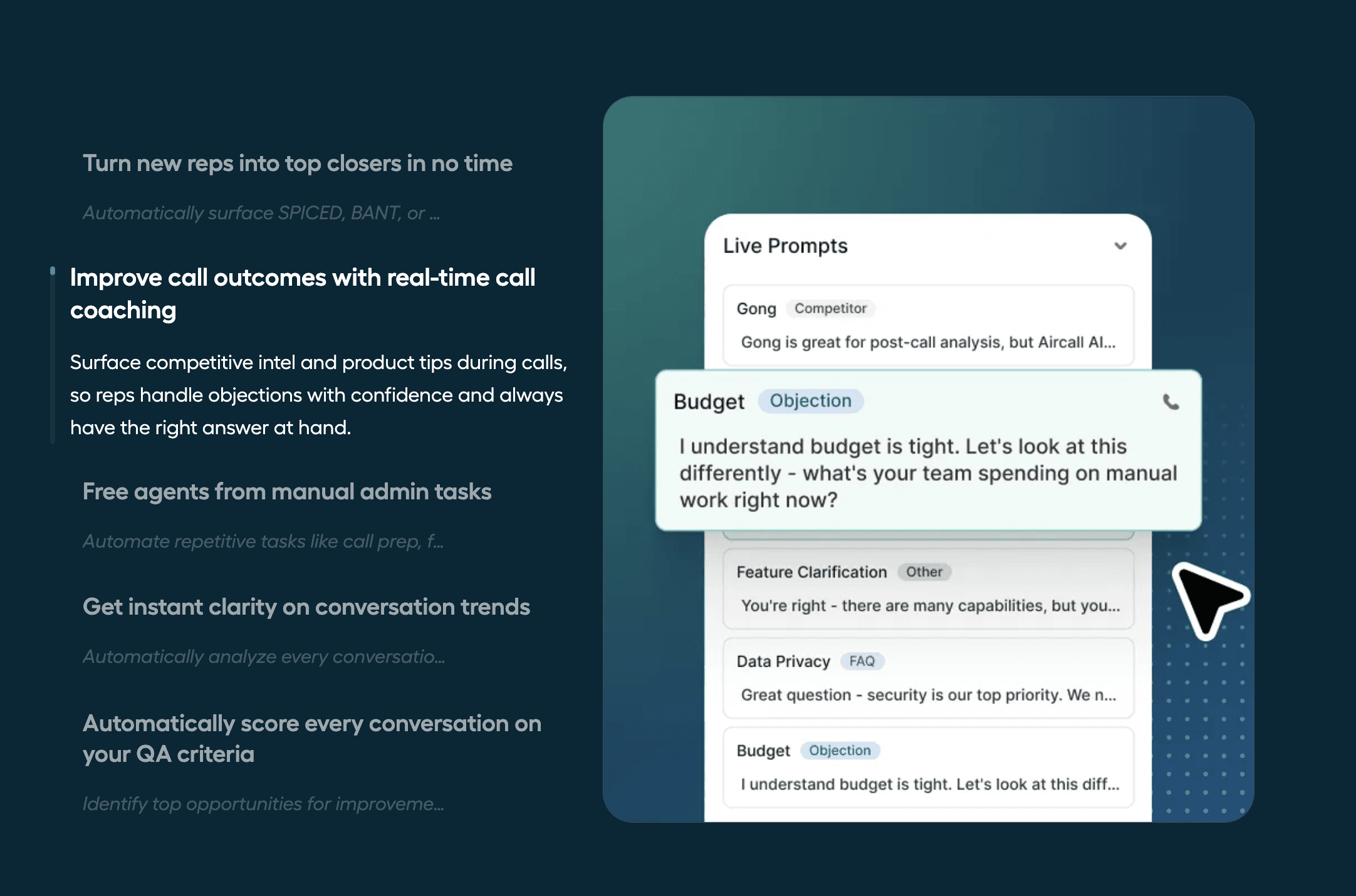
AI listens to calls as they happen and provides live guidance to agents, prompting them to slow down, show empathy, or follow specific talk tracks. Supervisors can also monitor calls and intervene when needed.
❓ When to use: When onboarding new agents, maintaining quality standards across a large team, or handling sensitive conversations that require consistent messaging.
🛠️ Tools:
Aircall: Real-time coaching and call monitoring for support and sales teams
How to choose the right AI Customer Support solution?
The biggest factor is risk tolerance.
If you work in a high-risk industry (healthcare, finance, legal), start with internal AI-powered customer support tools and human-in-the-loop setups. Add two layers: AI handles simple questions, humans handle complex ones.
AI Customer Service decision framework
Start with Layer 3 (Internal Support) if:
Your team is skeptical about AI
You have high-risk customer interactions
You want to see results quickly without customer-facing changes
Your agents struggle to find information in your knowledge base
Start with Layer 2 (Human-in-the-Loop) if:
You have repetitive questions that take time but are low-risk
Your team is open to AI but wants oversight
You want to reduce response time without sacrificing quality
You're okay with 1-3 months implementation time
Start with Layer 1 (Fully Automated) if:
You have very simple, low-risk use cases
Your knowledge base is clean and comprehensive
You have technical resources to maintain the system
You're comfortable with edge cases going wrong occasionally
Will AI replace customer service jobs?
While some people debate whether AI will replace customer service roles, I believe AI will transform and improve support roles instead of replacing them.
We're in the middle of a customer service revolution. Humans will leverage the power of AI and automation to meet (and exceed) customer expectations.
With this combination, businesses can enhance customer experiences and gain a real edge over competition.
What will change:
Support agents won't spend time answering "Where is my order?" for the 100th time
They'll focus on complex problems that need empathy and human judgment
They'll use AI tools to find answers faster and write better responses
New roles will emerge (AI conversation designer, AI quality analyst, knowledge base manager)
What won't change:
Customers will still need human help for complex issues
Emotional intelligence and empathy can't be automated
Building customer relationships still requires human touch
The future of customer service is not "humans vs. AI." It's humans working with AI to give better experiences.
Key takeaways: AI Customer Service best practices
AI customer service is not about replacing humans. It's about helping humans do their job better and giving customers faster answers to simple questions.
Start small. Learn from conversation logs. Iterate.
The companies that succeed with AI customer service are the ones that:
Keep humans in the loop for complex cases
Continuously improve based on real user feedback
Make customers feel heard, not like they're talking to a robot
Match automation to their most common support channels
Don't try to build everything at once. Start with one layer, one channel, a few use cases. See what works. Then expand.
Next steps: Implementing AI for Customer Service
If you're thinking about implementing AI customer service and want help figuring out where to start, I offer consultations to help you:
Audit your current customer support process
Identify which layer makes sense for you
Create an implementation plan
Choose the right tools
You can also try Chatbotly for free to see how a simple AI customer service chatbot might work for your business.
The most important thing is to start. Even a simple chatbot that handles 20% of your support tickets frees up your team to focus on complex cases that need human attention.
About the author: I'm Lena Shakurova, founder of ParsLabs and Chatbotly. We've been building AI assistants for 8 years and have worked with 110+ teams on chatbot development projects. We help companies implement AI customer service that actually works.
Want to scale your Customer Service with AI?
Book a free 30-min AI strategy call to get personalised recommendations for your team, with expected budget & timeline estimates.